
Download KidsWatcher APK – parental control, monitor kids, track location, SMS tracking, call history, GPS tracking, monitor phone, mobile monitoring, child safety, phone tracker
Overview
KidsWatcher is a parental control software designed to help guardians monitor their children’s digital activities on Android devices. The tool enables parents to keep a close eye on various aspects of their child’s smartphone usage, including call logs, SMS messages, contact lists, and GPS location. It also allows access to multimedia files such as photos and videos stored on the device, as well as browsing history, bookmarks, and memos. This comprehensive monitoring capability aims to support child safety in the digital space by providing real-time insights into a child’s online behavior and physical whereabouts.
The software is intended for use by parents who want to ensure their children’s well-being in an increasingly connected world. It may also be used in personal or professional contexts for discreet oversight, such as tracking lost or stolen devices. Installation is straightforward, and the tool is compatible with most Android smartphones and tablets. While the developer has not provided additional details about the background or history of KidsWatcher, the product’s focus on privacy-aware monitoring suggests a targeted approach to digital safety.
Real-world usage scenarios include monitoring for inappropriate content, ensuring timely communication, verifying location during after-school hours, and recovering lost devices. The tool supports both active and passive oversight, making it suitable for families seeking a balance between supervision and trust. The developer did not specify resource usage details or performance benchmarks.
Key Features & Capabilities
- Call History Monitoring – View detailed logs of incoming, outgoing, and missed calls, including timestamps and contact names.
- SMS Tracking – Access all sent and received text messages, enabling parents to detect potential risks like cyberbullying or inappropriate communication.
- GPS Location Tracking – Monitor real-time and historical GPS data to track the child’s physical location across maps.
- Media Access – View photos, videos, and other media files stored on the target device without requiring physical access.
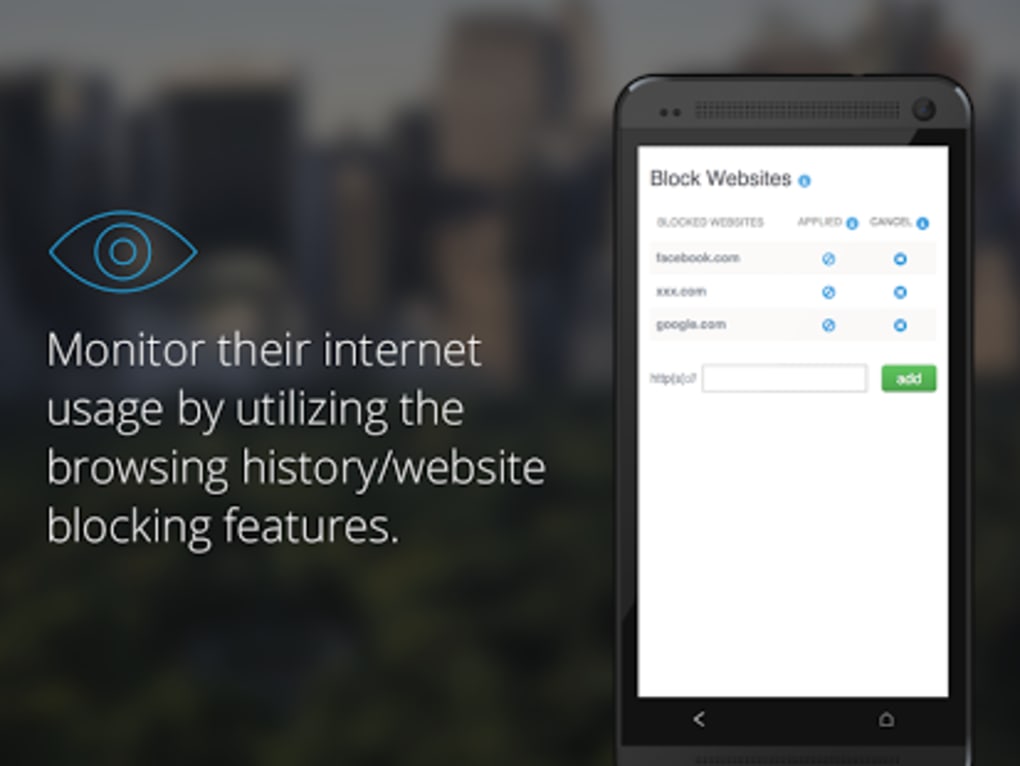
- Browsing Activity Review – Check browser history and bookmarks to understand the websites visited by the child.
- Contact List Monitoring – View the full list of contacts saved on the device to identify unfamiliar or potentially risky connections.
- Memo and Note Tracking – Access notes and memos created on the device, which may contain important personal or academic information.
- Device Recovery Support – Use the tracking feature to locate a lost or stolen smartphone remotely.
These features are designed to support informed decision-making in family digital safety. For example, parents can review browsing history to detect exposure to harmful content, or use GPS tracking to confirm a child’s arrival at school. SMS tracking helps identify signs of peer pressure or emotional distress. The ability to access media files allows for a deeper understanding of a child’s interests and social interactions. The software operates in the background with minimal user interaction, ensuring continuous monitoring without disrupting daily device use.
User Interface, Workflow & Performance
The user interface of KidsWatcher is designed for simplicity and ease of navigation, allowing parents to access monitoring data through a centralized dashboard. The workflow begins with installation on the target device, followed by configuration through a web-based control panel. Once set up, users can view all monitored data in a structured format, including chronological logs and interactive maps for location tracking.
Navigation is intuitive, with clearly labeled sections for each monitored activity. The dashboard displays key metrics at a glance, such as recent calls, active location, and recent media uploads. The software is built to run in the background, minimizing interference with the device’s normal operations. However, the developer did not specify resource usage details, such as CPU or RAM consumption, or stability under prolonged use.
Performance observations are based on general software behavior patterns. The tool is expected to maintain consistent operation across standard Android devices, though actual behavior may vary depending on the device model and Android version. No reports of crashes or system conflicts were provided. The software is not known to require high processing power, but exact performance data remains unavailable.
Compatibility & System Requirements
KidsWatcher is designed for Android devices and is compatible with most smartphones and tablets running the Android operating system. The software version is 1.0.1, and the installation file size is 20 MB. This relatively small footprint suggests efficient packaging and minimal storage impact.
Exact system requirements were not listed by the developer. It is unclear whether the software supports all Android versions or only specific ranges. Compatibility information is limited to the general statement that it works with most Android devices. The developer did not specify minimum CPU, RAM, or storage requirements. Users are advised to verify compatibility with their specific device model before installation.
For optimal performance, it is recommended to ensure the target device has an active internet connection and location services enabled. The software does not support iOS or other platforms, and no information was provided about cross-device synchronization or multi-device management.
Pros and Cons
Pros
- Comprehensive monitoring of calls, messages, location, and media
- Real-time GPS tracking for enhanced child safety
- Easy installation and setup process
- Supports device recovery in case of loss or theft
- Web-based control panel for remote access
- Designed for discreet, background operation
Cons
- No publicly available system requirements or performance metrics
- Only compatible with Android devices
- Price point of $39.99 may be considered high for some users
- Privacy implications due to discreet monitoring capabilities
- Limited transparency regarding data security and storage practices
- Does not support iOS or other platforms
FAQ Section
Is KidsWatcher compatible with all Android devices?
KidsWatcher is compatible with most Android smartphones and tablets, though the developer did not specify exact compatibility ranges or minimum system requirements.
Is the software safe to use?
The software is designed to operate as a monitoring tool. Its safety depends on ethical use and adherence to local laws regarding digital privacy and surveillance.
How often does the software update?
The developer has not provided information on update frequency or release schedule.
What type of license does KidsWatcher use?
KidsWatcher operates under a one-time purchase model with a single license for installation on one device. No subscription details were provided.
Can I use KidsWatcher offline?
Monitoring data is transmitted to the control panel via internet connection. The software requires an active connection to function properly and cannot operate fully offline.
Final Thoughts
KidsWatcher presents a robust solution for parents seeking to monitor their children’s digital activities on Android devices. Its wide range of features—covering SMS tracking, call logs, GPS location, media access, and browsing history—makes it a powerful tool for enhancing child safety. The intuitive interface and remote access via a web dashboard simplify ongoing oversight, while the ability to locate lost or stolen devices adds practical value.
While the software lacks detailed technical documentation and has a relatively high price point, its functionality and ease of use justify its position in the parental control market. Families prioritizing digital safety and real-time monitoring will find significant benefit in this tool. However, users should carefully consider privacy implications and ensure compliance with applicable laws.
Download KidsWatcher now





.png)

